
Exodus 11 Complete Experience for IconPackager – 5-in-1 Bundle
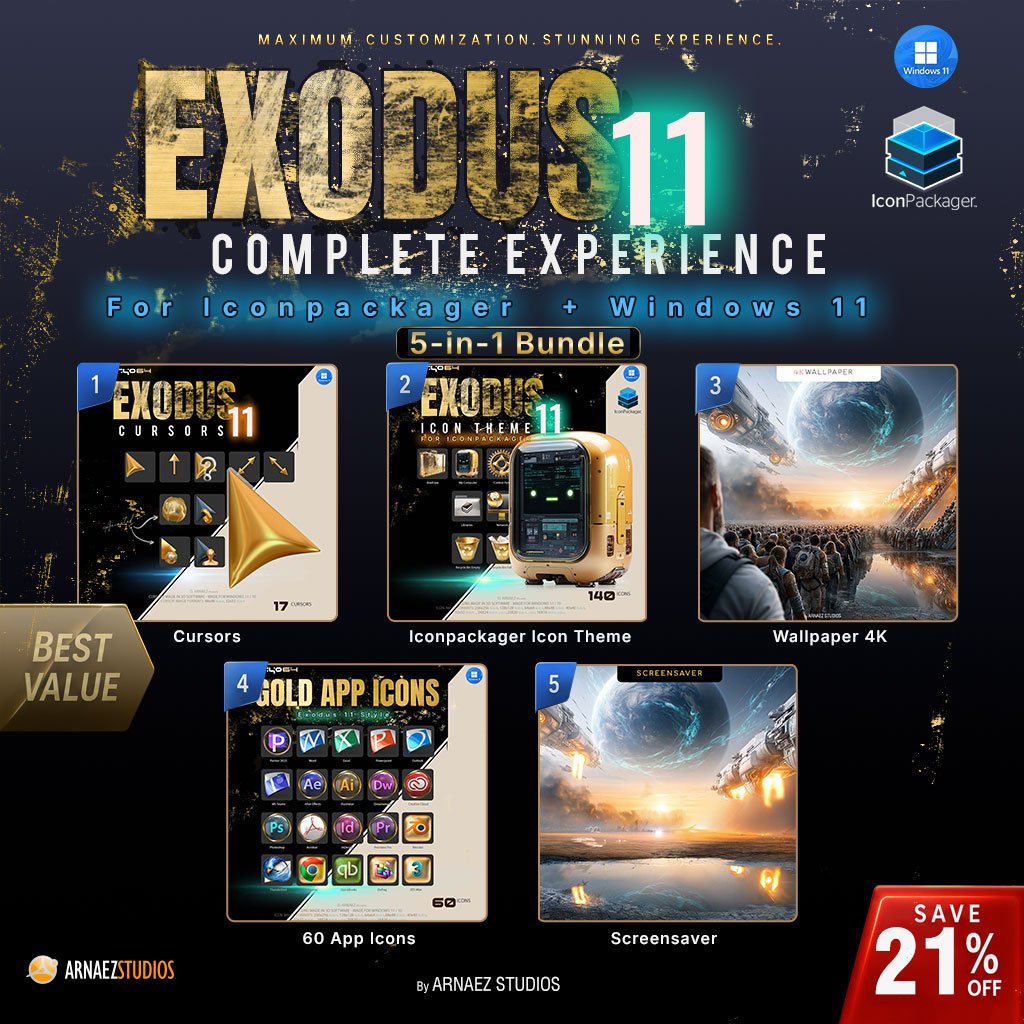
What if your whole desktop was made of gold? The Exodus 11 gold IconPackager bundle, also known as the Complete Experience 5-in-1 bundle, gives you the complete Cryo64 Exodus look in one purchase: a golden icon theme, 60 gold app icons, a 3D gold cursor set, the Ascension sci-fi wallpaper and the Exodus Ascension spaceship screensaver. Five products designed to work together as one world, for less than buying them one by one.
What’s Inside the Gold IconPackager Bundle
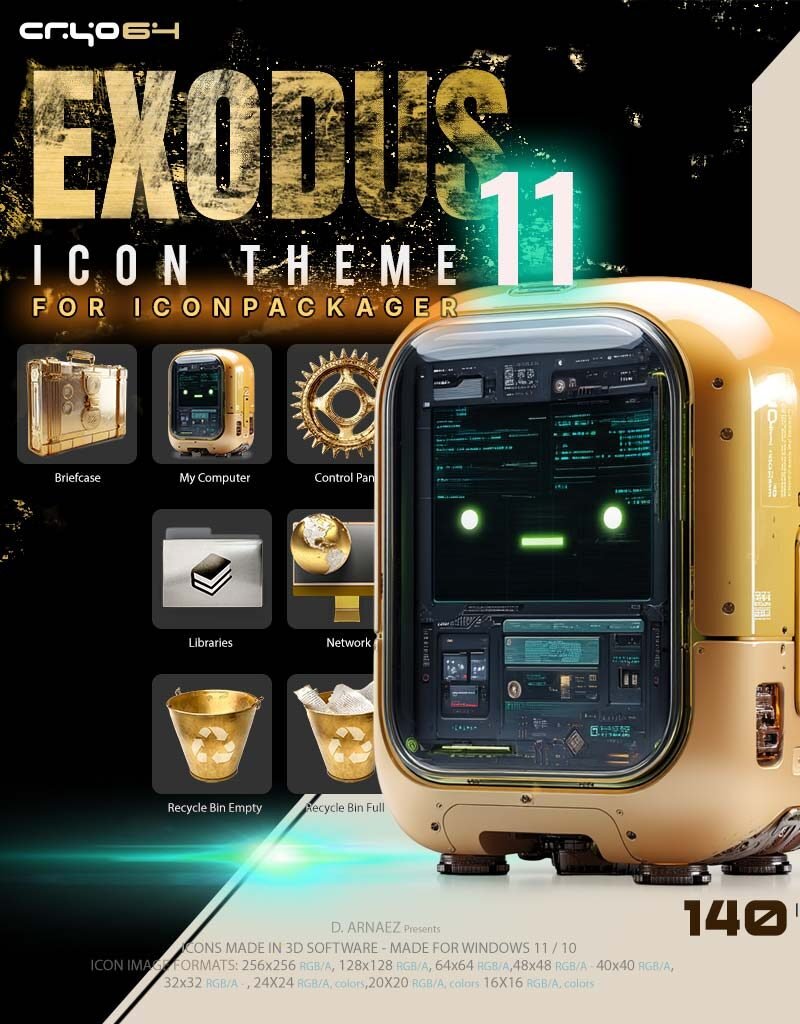
- Exodus 11 Golden Icons – IconPackager Theme: 140 golden icons rendered in 3D for Windows 11 and 10, applied in one click with IconPackager
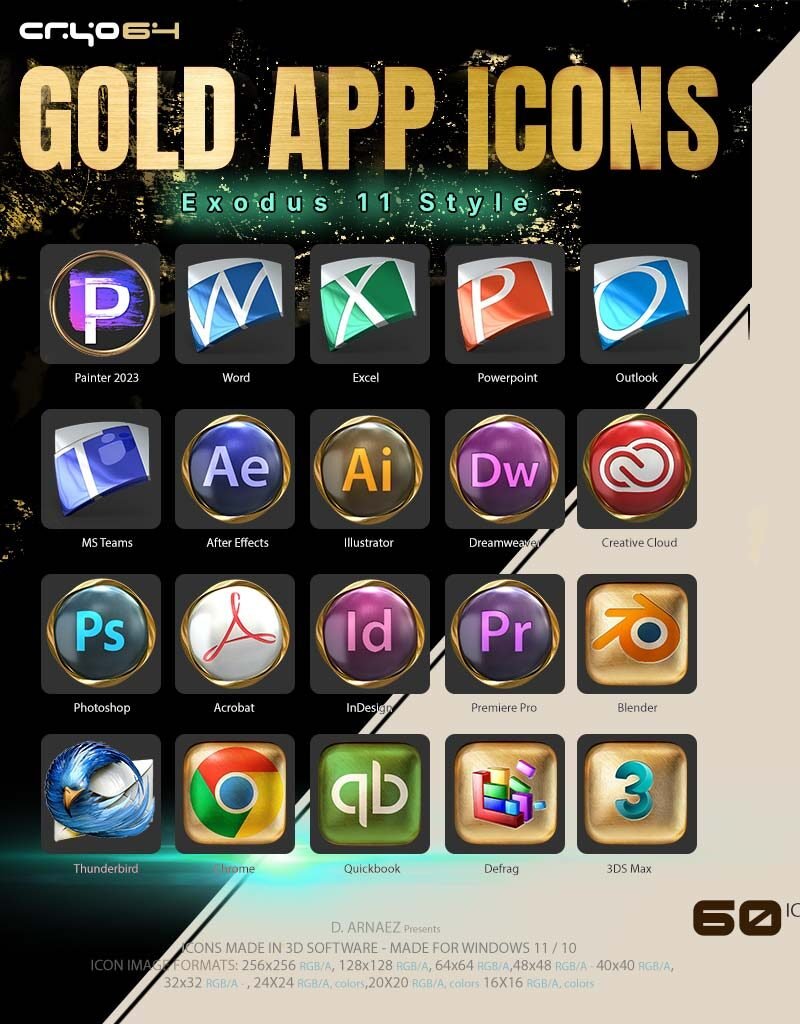
- Gold App Icons – Exodus 11 Style: 60 gold app icons for the apps you open every day, from ChatGPT and Claude to Photoshop, Chrome and Spotify
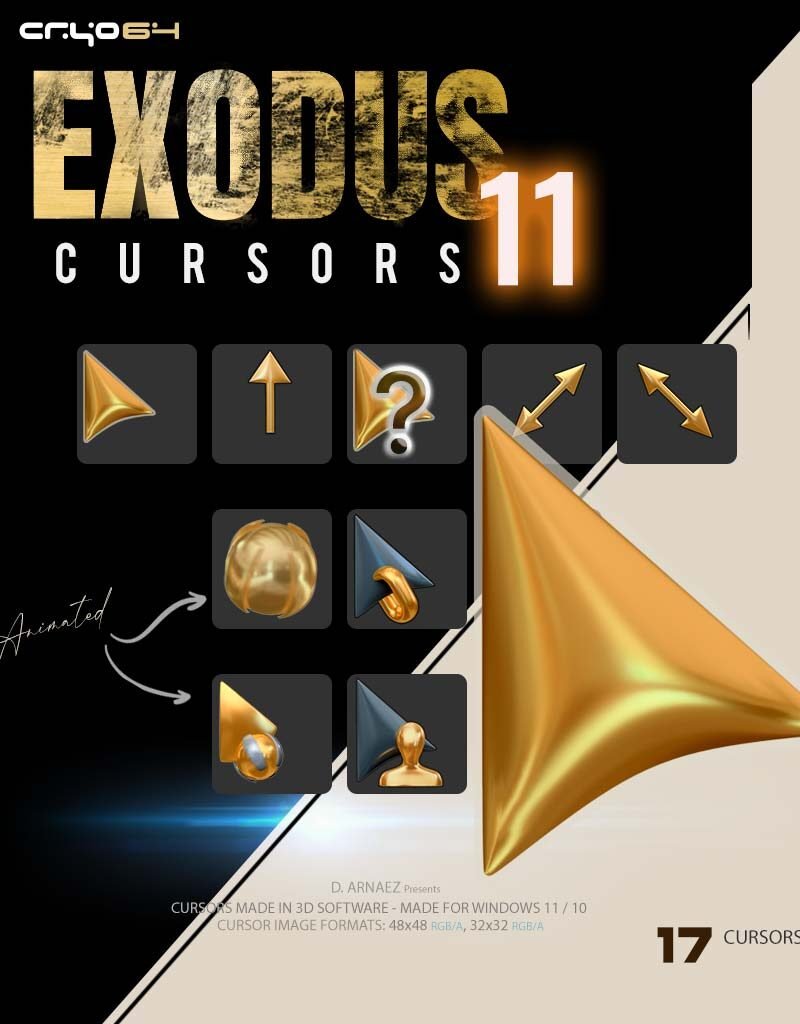
- Exodus 11 – 3D Gold Cursor Pack: 17 gold cursors with real 3D depth, two of them animated
- Ascension – Sci-Fi Hope Wallpaper 4K: humanity boards colossal starships under a golden sunrise, sized for screens from dual UHD to your phone
- Exodus Ascension – Spaceship Screensaver: the second half of the same scene, in true full screen, even on ultrawide monitors
One Golden World, From Icons to Screensaver
Everything in the Exodus release shares one idea: gold. The icons, app icons and cursors are modeled and rendered in 3D, so the gold looks like real metal, polished and catching the light. The wallpaper and the screensaver tell one story in two scenes: Ascension shows the moment before, humanity climbing the ramps of the great arks, and the screensaver continues on the very same shore when you step away from your PC. Put them together and your desktop feels like it was built for one world.
Save With the Bundle
Bought separately, these five products cost $51.76. The bundle is $33.33 through October 25 (regular $44.00), so you save more than $18.
What’s Included
- Cryo64 Exodus 11.ip: one IconPackager theme file with 140 golden icons
- 60 gold app icons in native Windows .ICO format
- 17 gold cursors with a one-click installer (install.inf)
- Ascension wallpaper in multiple sizes, from dual UHD and 4K to phone and tablet
- Exodus Ascension screensaver with a one-click installer
- A step-by-step installation guide (PDF) for each product
- Instant digital download: five separate ZIP files, one per product
How to Set Up Your Gold Desktop
- Icon theme: open Cryo64 Exodus 11.ip with IconPackager, select Exodus 11 and click Apply Icons.
- App icons: right-click an app shortcut, choose Properties, then Change Icon and browse to the .ICO file.
- Cursors: right-click install.inf and choose Install, then pick Exodus 11 Cursors in Mouse settings (main.cpl, Pointers tab).
- Wallpaper: set the Ascension image that matches your screen as your desktop background.
- Screensaver: run Install_Screensaver.exe, then choose Exodus Ascension in Screen saver settings.
System Requirements
- Windows 11 or Windows 10
- IconPackager by Stardock for the icon theme (sold separately by Stardock)
- The app icons, cursors, wallpaper and screensaver need no extra software
Why Cryo64
Cryo64 has been designing Windows icon themes, cursors and desktop art since 2004, made by Arnaez Studios with a full 3D workflow and used by desktop customizers in more than 80 countries. You can follow our work on WinCustomize and DeviantArt.
Part of the Cryo64 Exodus Release
Exodus is the second chapter of the eight Cryo64 Series, after Genesis, and its signature is gold. Explore the full Exodus Series, or see where it all began with the Genesis Series.
All app names and logos are trademarks of their respective owners. The app icons are original artwork for personal desktop customization and are not affiliated with or endorsed by those companies.
By Arnaez Studios.
Only logged in customers who have purchased this product may leave a review.
By D. Arnaez, Arnaez Studios LLC — Miami, FL



Reviews
There are no reviews yet