
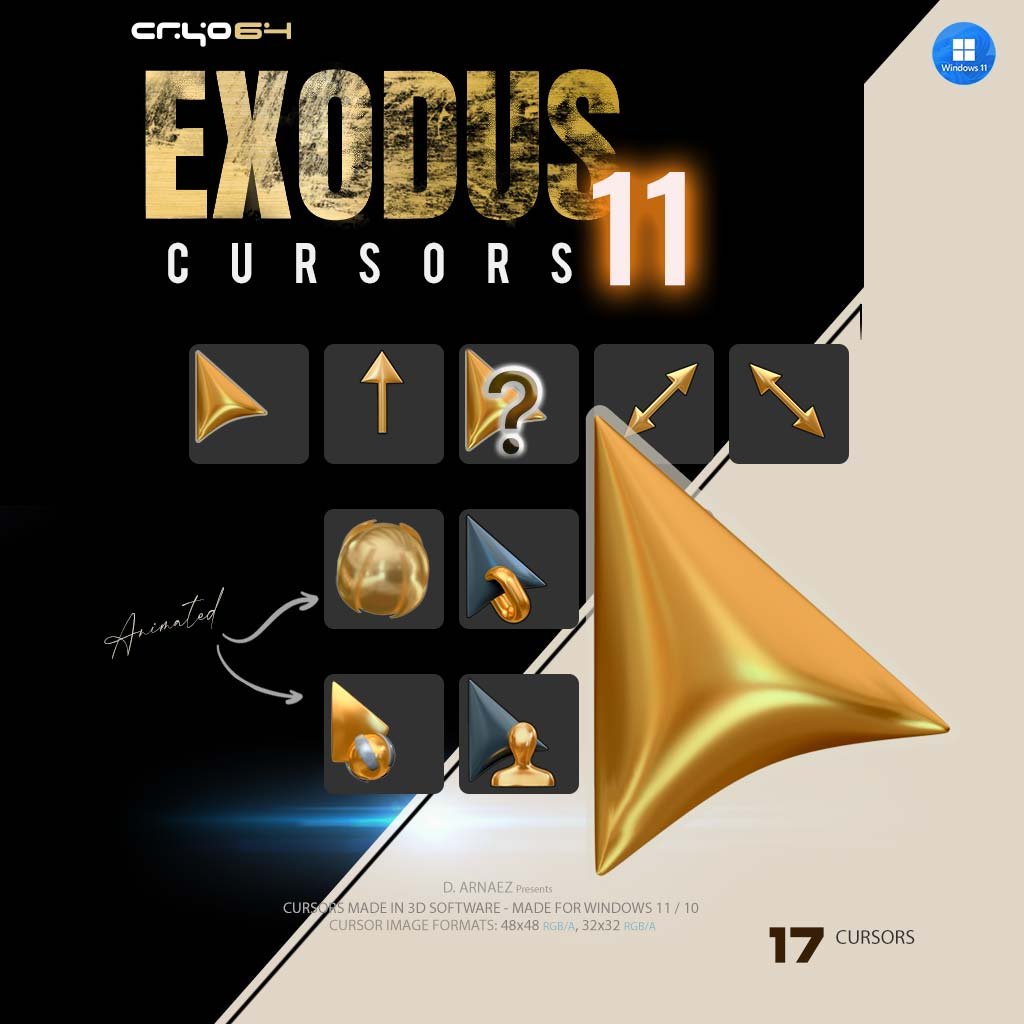
Exodus 11 – 3D Gold Cursor Pack for Windows 11
Your pointer is the one thing on screen you look at all day, so why not make it gold? Exodus 11 is a 3D gold cursor pack for Windows 11 and Windows 10: 17 cursors modeled and rendered in 3D software, with polished molten-gold surfaces that catch the light on any background. It’s part of the Cryo64 Exodus release, and it turns a basic arrow into something that feels made just for your desktop.
A Gold Cursor With Real Depth
These aren’t flat icons painted yellow. Every gold cursor in the set was built as a 3D object, so the curves, highlights and soft shadows look like real metal. The main arrow has a sculpted, liquid shape, the resize arrows are slim and precise, and the Help Select wears a chrome-edged question mark. For contrast, the Link-style Person and Location selects use a deep steel-blue arrow with gold accents, so they stand out the moment you need them.
Two Animated Cursors
- Busy: a golden orb wrapped in rotating bands, animated while Windows is working.
- Working in Background: the gold arrow with a spinning chrome ring, so you can keep clicking while an app loads.
What’s Included
All 17 Windows cursor roles, ready to install as a single scheme called Exodus 11 Cursors:
- Normal Select, Help Select, Working in Background (animated), Busy (animated)
- Precision Select, Text Select, Handwriting, Unavailable
- Vertical, Horizontal and both Diagonal Resize cursors, Move
- Alternate Select, Link Select, Location Select and Person Select
- install.inf one-click installer + illustrated PDF installation guide
Cursor image formats: 48 × 48 and 32 × 32 pixels, full RGB/Alpha, so edges stay smooth on high-resolution screens.
How to Install
1. Extract the ZIP
Right-click the downloaded file and choose Extract All. Keep install.inf in the same folder as the cursor files.
2. Run the installer
Right-click install.inf and choose Install (on Windows 11, click Show more options first).
3. Apply the scheme
Press Win + R, type main.cpl, open the Pointers tab, choose Exodus 11 Cursors from the Scheme list and click Apply.
System Requirements
- Windows 11 or Windows 10 (Location and Person Select need Windows 10 version 1903 or newer)
- No extra software needed: uses the built-in Windows cursor system
Why Cryo64
Cryo64 has been designing desktop icons, cursors and themes since 2004, made by Arnaez Studios with the same 3D workflow used for our icon collections. You can follow our work on WinCustomize and DeviantArt.
Part of the Cryo64 Exodus Release
Exodus is the second chapter of the eight Cryo64 Series, after Genesis, and its signature is gold. Pair this gold cursor set with the Ascension sci-fi wallpaper and the Exodus Ascension screensaver for a desktop that feels like one world, explore the full Exodus Series, or browse all our Windows cursors, including Cursors Genesis X. Looking for matching icons? See the Windows 11 icons collection.
By Arnaez Studios.
Only logged in customers who have purchased this product may leave a review.
By D. Arnaez, Arnaez Studios LLC — Miami, FL

Reviews
There are no reviews yet