
Exodus 11 Icon Theme for Windows 11 – ThemeControl
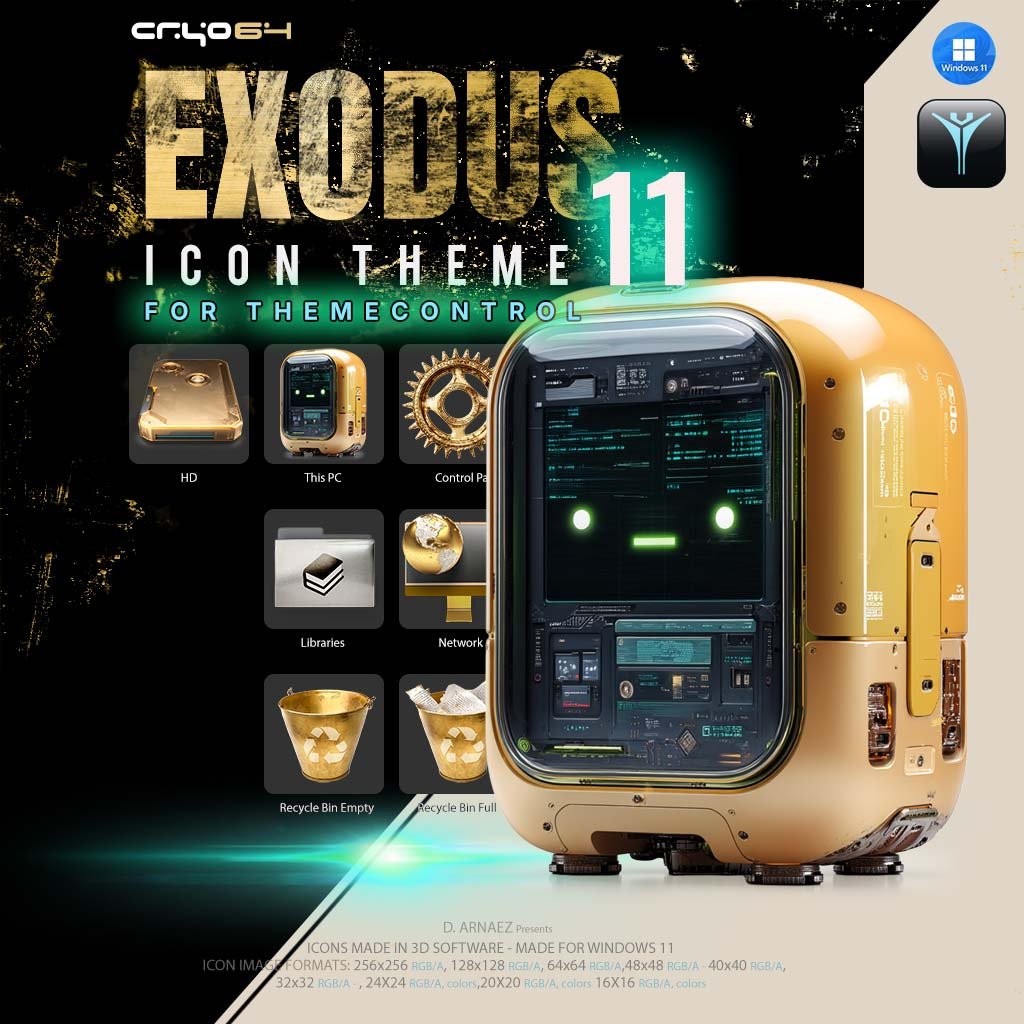
What if your whole PC was made of gold? Exodus 11 is a gold icon theme for Windows 11: 61 icons rendered in 3D and the Ascension sci-fi wallpaper, installed together in one click with ThemeControl. Your computer, folders, drives, Recycle Bin and even your Word, PDF and ZIP files change at once, and one more click brings your old icons back.
A Gold Icon Theme for Windows 11, Rendered in 3D
Exodus is the second chapter of the Cryo64 Series, and its signature is gold. Every icon was modeled and rendered in 3D software, so the gold looks like real polished metal catching the light. The star of the set is This PC, a rounded gold computer with a glowing screen and a friendly robot face. Around it you get a gold globe for Network, a sculpted gold gear for Control Panel, transparent gold drives and two gold Recycle Bin buckets that show at a glance when it’s empty or full.
Desktop & System
- This PC, Network, Control Panel and its sections, Recycle Bin (empty and full), Libraries, Home, Gallery and your user folder
Gold Folders
- Documents, Downloads, Pictures, Music, Videos, Desktop, Favorites, Contacts, Links, Saved Games, Searches and Fonts
- Open and closed folder states
Drives
- Windows drive, hard drive, USB drive, DVD drive and network drives (online and offline)
19 File Types
- Word, Excel, PowerPoint, PDF, Photoshop, Illustrator, text, images, music and video
- Code and web files, fonts, installers, ISO disk images and ThemeControl themes
- ZIP, RAR, 7z and other archives with a gold zipper
The Ascension Wallpaper, Included
The theme carries the Ascension sci-fi wallpaper: humanity boarding colossal starships under a golden sunrise, the same world as the icons. It comes in 4 sizes, 3840 × 2160 (4K), 2560 × 1600 (16:10), 3440 × 1440 (ultrawide) and 7680 × 2160 (dual 4K), and ThemeControl picks the best one for each screen.
What’s Included
- Exodus 11.thc: the theme file with 61 icons and 4 wallpapers, digitally signed by Arnaez Software
- ThemeControl: our free, digitally signed app that applies the theme
- Icon sizes: 256×256 down to 16×16 px, full RGB/Alpha
- Instant digital download (ZIP)
How to Install the Gold Icon Theme
- Install ThemeControl. Run ThemeControl-Setup.exe from the download.
- Apply Exodus 11. Double-click Exodus 11.thc, then click Apply theme. Icons and wallpaper change together.
- Change your mind anytime. “Restore previous icons” brings your old look back.
System Requirements
- Windows 11
- ThemeControl (included, free, digitally signed)
- 1080p or higher; 4K recommended for the wallpapers
Already own an earlier version of Exodus 11? Send us your order number and we’ll add the ThemeControl version to your order, free.
Why Cryo64
Cryo64 has been designing Windows icon themes since 2004, made by Arnaez Studios with a full 3D workflow and used by desktop customizers in more than 80 countries. You can follow our work on WinCustomize and DeviantArt.
Part of the Cryo64 Exodus Release
Complete your golden desktop with the Gold App Icons – Exodus 11 Style, the Exodus 11 gold cursor pack and the Exodus Ascension spaceship screensaver. Explore the full Exodus Series, or see where it all began with the Genesis 11 Complete Experience for ThemeControl.
By D. Arnaez, Arnaez Studios LLC, Miami, FL.
| Program Needed | ThemeControl |
|---|
Only logged in customers who have purchased this product may leave a review.
By D. Arnaez, Arnaez Studios LLC — Miami, FL

Reviews
There are no reviews yet