
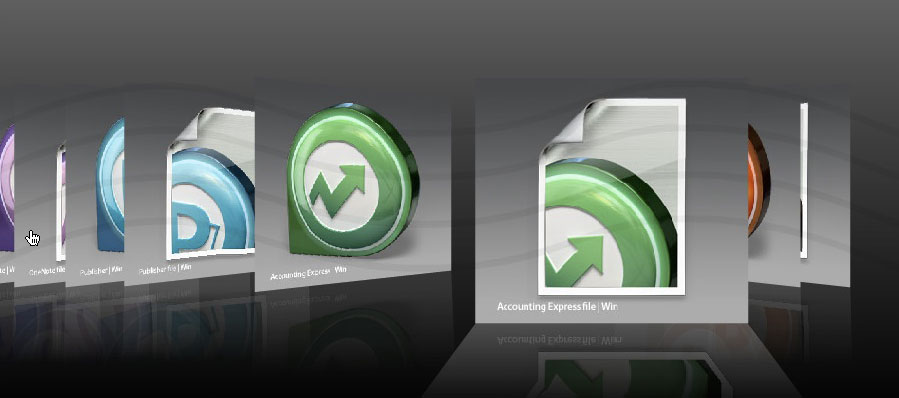
Office Apps Levit 3G (Windows)
Levit 3G Office Icons — Chrome & Stainless Steel Finish for Windows
Give your desktop a brushed-steel, chrome finish that carries all the way into your Office apps. This pack delivers 16 metallic icons — Word, Excel, Outlook, PowerPoint and more — Windows Office application icons that pair perfectly with the Cryo64 Levit 3G icon theme, so your whole taskbar and Start Menu share that same cold-metal, sci-fi look instead of flat, generic icons.
What’s Included
- 16 Office application icons, matched to the Levit 3G chrome/steel aesthetic
- Each icon included in two formats: ICO (Windows) and PNG
- Instant digital download (.zip)
How to Install
- Download and unzip the Office Apps Levit 3G icon pack
- Right-click the shortcut or .exe of the Office app you want to re-skin
- Select Properties → Change Icon
- Browse to the matching .ico file from the pack and select it
- Click Apply — or use IconPackager to apply the whole set automatically alongside your Levit 3G theme
System Requirements
- Windows XP, Vista, 7, 8 or 10
- Stardock IconPackager recommended for one-click, whole-theme application (manual per-icon install also supported)
Why Cryo64
Cryo64 has been designing desktop customization themes since 2004, with icon packs featured on WinCustomize and DeviantArt. Every icon is hand-crafted to match its full theme family — no mismatched, off-the-shelf substitutes.
Part of a Complete Experience
This Office icon pack is designed to pair with the rest of the Levit 3G family:
- Levit 3G – Icon Theme Windows Vista
- Levit 3G – Icon Theme Windows XP
- Levit 3G Apps — 40 more chrome & steel app icons
| Item 1 |
|---|
Only logged in customers who have purchased this product may leave a review.
By D. Arnaez, Arnaez Studios LLC — Miami, FL

Reviews
There are no reviews yet